Site365 · website as a service

A top-tier website on subscription.

We take the domain, the server, design, SEO, updates and incidents. You run your business.

We take on:DomainServerDesign and buildSEOUpdatesIncidents

  • We check the site every minute
  • An engineer responds in 15 minutes
  • A backup every day
Scroll

This page is built from our library: 213 of its 267 pieces. Your site comes from the same library.

02 · We work with physics

One subscription instead of five contractors.

The words on this screen have weight and friction. Five contractors fall to the floor, and you can toss them around.

02library pieces in this chapter

Usually

  1. Domain registrar
  2. Hosting and an administrator
  3. Designer and developer
  4. SEO specialist
  5. Support from “a friend”

Five invoices. When something breaks, each points at the next.

In Site365

  • One contract and one invoice a month.
  • One team answers for everything: from the domain to the lead from the site.
  • Reaction times are written into the SLA.
  • The price is fixed and written into the contract.
  • Domain registrar
  • Hosting and an administrator
  • Designer and developer
  • SEO specialist
  • Support from “a friend”

Five contractors, one subscription

03 · We work with structures

A website is six jobs. We do all six.

Scroll: the tower assembles from 36 parts in six tiers. Each tier is one of the six jobs.

07library pieces in this chapter

Eiffel Tower Assembly Atlas
  1. Domain

    We buy it, watch it, renew it.

    Usually

    The renewal email lands in spam or in the inbox of someone who left. The site and the mail go dark, and a stranger buys the released address.

    In Site365

    • We register the domain to your company. The address stays yours.
    • We renew it 30 days before it expires.
    • We renew the SSL certificate, so browsers do not scare visitors away.

    Renewed 30 days ahead

  2. Server

    We deploy it and watch it around the clock.

    Usually

    You rent a VPS, and then come the operating system, certificates and security. A friend in IT helps once, but never promised to answer for the site at 3 a.m.

    In Site365

    • We size the server for your site's load.
    • We install security updates.
    • We check availability every minute.
    • We answer for the result under contract.

    Checked every minute

  3. Design and build

    A designer with 8+ years and our own 3D library.

    Usually

    An AI builds a page in an evening. It builds the same page for your competitor: a similar prompt gives a similar template.

    In Site365

    • A designer with more than 8 years of experience works on your site.
    • We draw on our own library: 267 components and 3D scenes.
    • We build the site for your goal: leads, sales, a company showcase.

    267 pieces in the library

  4. SEO

    Promotion is part of the subscription.

    Usually

    To be found on Google and Yandex you need an SEO specialist. That is one more contractor, one more invoice and reports that are hard to check.

    In Site365

    • We set up structure and speed for search during the build.
    • Every month we refine pages for what your customers search.
    • We show rankings and visits in a plain report.

    A report every month

  5. Updates

    Every change with a backup, on time by SLA.

    Usually

    You log in to the admin panel and edit it yourself. One bad edit breaks the lead form, and there is no yesterday's version to go back to.

    In Site365

    • You tell us what to change. The deadline is in the SLA.
    • We take a backup and test the change on a staging copy.
    • We can roll the site back to any day of the last 30.

    30 days of backups

  6. Incidents

    We notice the outage before your customers do.

    Usually

    The site goes down on Friday evening. You learn about it on Monday from a customer who could not send a request. All weekend your ads led people to an error page.

    In Site365

    • A robot checks the site every minute, day and night.
    • The engineer on duty starts work within 15 minutes.
    • We restore the site within 2 hours.
    • We send a report: what happened and what we changed.

    Restored within 2 hours

Story · 29 September 2015

Google.com was once sold for 12 dollars.

  • $12

    Google, 2015

    Former Google employee Sanmay Ved saw in Google Domains that google.com was available. He paid 12 dollars and for a minute had the control panel of the internet's main site. Google cancelled the sale and paid him a reward.

  • $35

    Microsoft, 1999

    Microsoft forgot to renew passport.com, and Hotmail users could not sign in. An outside programmer, Michael Chaney, renewed the domain: 35 dollars from his own card.

If it happened to Google and Microsoft, it will happen in a company where one busy person looks after the domain.
Story · from our practice

“Where are your backups?” “In a folder on my computer.”

That is what one company's IT person told us. A backup is for the day something happens to the computer. These copies will die with it.

  1. The disk fails

    The site and all its copies vanish in a second.

  2. Ransomware

    It encrypts the whole laptop, backup folder included.

  3. The employee leaves

    The laptop and the copies leave the company with them.

We keep three copies in two places, one of them off the server. Once a month we restore the site from a copy and check that it works.

Six jobs, one team, one contract.

04 · We work with text

We work with text.

Ogilvy counted: five times as many people read the headline as the copy under it. So our letters assemble from pixels, rotate and answer the cursor.

10library pieces in this chapter

Pixel DriftThe word Site365 built from square particles
Glyph SphereA turning ring of letters and digits
Appear TextA wall of 25 copies of the word SEO that wipes down to one

Job 04 of 06 · SEO

Headlines and search

SEO is part of the subscription: we set up structure and speed for search during the build.

Every month we refine pages for what your customers search and show rankings and visits in a plain report.

A report every monthAll six jobs

365

Pixel Scan

A band of pixel cells reveals the numerals. A shader computes every frame in the browser.

Copy is ready

Generating OrbGenerate ButtonComposing Orb

Press the button: the light on the rim of the disc speeds up for 2 seconds.

3D Letters Menu

Hover over the word: the letters flip and a mock-up swings out behind the cursor. A click changes the mock-up.

On a computer the letters flip on hover and open a website mock-up.

Type Reveal

Scroll: a mock-up opens inside the line.

01 · Monitoring

A robot checks the site every minute, day and night.

We check the site every minute

02 · Backup

We can roll the site back to any day of the last 30.

A backup every day

03 · Incidents

The engineer on duty starts work within 15 minutes.

An engineer responds in 15 minutes

The mock-ups in the lines are concepts we drew in code, not client work.

05 · We work with waiting

Deadlines we write into the contract.

Below are 47 loading indicators from our library. The SLA exists so that your customers see them as rarely as possible.

50library pieces in this chapter

Site365 SLA: reaction time and result time by type of request
RequestExampleReactionResult
Site is downDoes not open, server error15 minutes, 24/7Restored within 2 hours
A function is brokenForm, payment or search fails1 working hourFixed within 8 working hours
Content editText, price, photo, news item2 working hoursPublished within 1 working day
New block or pageA section, a campaign landing pageEstimate within 1 working dayDone in 3⁠–⁠5 working days

Request simulator

Pick a request type. Time on screen is sped up.

Site is down

Does not open, server error

State

Monitoring: a check every minuteSite is down. Restored within 2 hoursSite is down. Reaction: 15 minutes, 24/7

02:00

Done

hours : minutes since the request

Reaction
15 minutes, 24/7
Result
Restored within 2 hours
  • Monitoring: a check every minute

  • Backups: daily, kept for 30 days

  • Domain and SSL: renewed 30 days ahead

23 more

Hover or tap a cell: the other indicators pause.

06 · We work with materials

We work with materials.

Glass, satin, opal, liquid metal. The browser computes them in real time, with no video and no ready-made pictures.

16library pieces in this chapter

1 WebGL context · 3 programs

01 / 03

GlassA Shader

Fluted glass. The ribs refract a slow noise field.

02 / 03

MetalFlowing Waves

Liquid metal: graphite, silver and amber on the crests. 25 noise samples per pixel.

03 / 03

SatinStripe Gradient

One soft fold and grain. The lightest shader of the three.

Glass Radio

01 / 06DomainWe buy it, watch it, renew it.

Glass Keys

The light behind the glass follows the cursor. Hold a key longer and the wave travels further.Tap a key. Hold it longer and the wave travels further.

Arrow keys move between the keys, Space or Enter presses.

Self-diagnostics

Six keys check this page right now.

Press a key: your browser measures the domain, server, markup, SEO, build and availability of this page. The figures are real, from your device.

Waiting for a key

Glass

Frosted glass

The panel blurs what is behind it; a highlight runs along the edge. Good for pricing and menus over photo or video.
backdrop-filter1 px edge
Neon Glass Card

Light

Light in a slit

The source is hidden in the card and lights up on hover. Good for the block with the main benefit.
Luminous Card

Rim

A lamp on the border

Light follows the cursor along the frame. It marks the chosen plan or product with no extra graphics.

Border Glow

Pixels

Pixel field

Dots spread from the centre of the card. Good for service cards on a tech company's site.
Pixel Card

Soft surface

A button the colour of its background

Two shadows draw the shape: one dark, one light. The switch next to it controls animation on the whole page.

Neumorphic LED Switch
Relief Button

Three specimens in one frame

The frame holds one specimen at a time. Switching unloads the previous one and frees its video memory. Drag a specimen sideways and it turns.

Crystal Cube

Ray tracing in a fragment shader: 18 wavelengths per pixel, up to 7 bounces inside the cube.

  • 01Crystal Cube

    Glass

    Refractive index
    1.52
    Wavelengths per pixel
    18
    Internal bounces
    up to 7
    Light sources
    27, including 3 sodium, 589 nm
  • 02Cobalt Sphere

    Satin

    Mesh
    up to 192 × 128 segments
    Roughness
    0.43
    Fold period
    3.8
    Light
    4 softboxes, 2 directional
  • 03Opal Loop

    Opal

    Transmission
    0.9
    Refractive index
    1.46
    Thin film
    180–520 nm
    Light
    8 panels

Glass and an elastic sheet

Your browser computes both specimens while you look at them. Sweep across the globe and the ripples reach the reflection. Pull the sheet and it springs back.

Mirror Globe

A globe over a wet mirror

The reflection is a separate pass of the same scene. A ripple on the glass shows in the mirror too, because the mirror captures the globe already bent.

Ripples at once
up to 8
Refractive index
1.5
Reflection buffer
75% of the frame
Elastic Mesh

An elastic sheet

The edges are pinned and the nodes are joined by springs. A wave spreads from the cursor and dies out. Once the sheet is at rest, the browser draws no frames.

Nodes in the mesh
32 × 32
Simulation step
1/120 s
At rest
0 frames per second

07 · We work with objects

We work with objects.

A galaxy of thousands of points, a gravity well, a globe. You can rotate and touch the objects.

16library pieces in this chapter

Depth without a 3D library

The galaxy runs in one shader: WebGL2, one draw call. The arms follow a golden spiral, and the inner points outrun the outer ones.

  • 15,000points
  • 1draw call
  • 0 KBof 3D libraries
Particle Galaxy
  • Canvas 2D · 450 dotsWinding

    One strand wraps the sphere from pole to pole. The number of turns changes from 2 to 8.

  • Canvas 2D · 180 dotsBreath

    The shell breathes: each breath crosses the sphere as a wave in 3.6 seconds.

  • Canvas 2D · 260 dotsMembrane

    The film wobbles like a soap bubble. 4 spherical harmonics set the shape.

  • CSS · 6 crescentsSingularity

    Six crescents of light race along a tilted orbit around a dark core.

  • CSS · 2 wavesTide

    Two waves turn inside the sphere: one in 5 seconds, the other in 7.

Depth on a flat canvas

Canvas 2D computes the funnel: rings and spokes pass through one projection. One fragment shader draws the tile wall. These scenes use no external libraries.

  • 14 × 18rings and spokes in the funnel
  • 22layers in the slab cut with 365
  • 0external libraries
01Canvas 2DGravity Well
02WebGL + CSS 3DGlow GridThe slab leans to the cursorTap: flash
03Ring · thinkingBreathing Orb
04Wave · listeningListening Orb

Six objects in one frame

Pick an object and drag it sideways. One scene runs at a time: when you switch, the previous one shuts down and frees its video memory.

  • 6three.js scenes
  • 1WebGL context at a time
  • 0videos or ready-made models
Reactive Globe

A ball covered with 3,000 capsules. Four glass spheres orbit it, and the bristles sink under each one. Drag the ball to turn it.

08 · We work with images

We work with images.

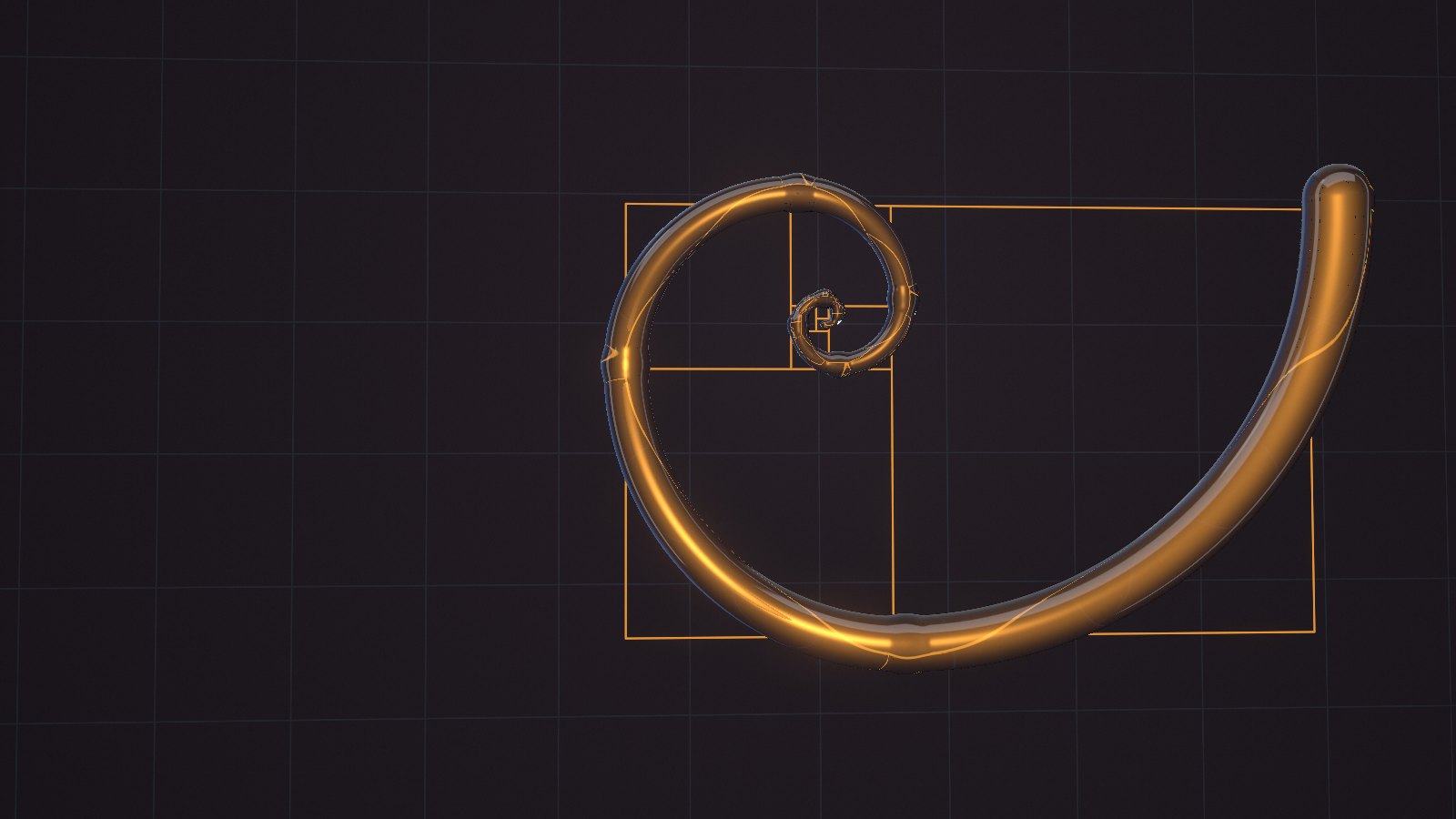
One picture and twelve ways to print it: halftone, ASCII, contour lines, CRT. The source is the glass spiral from our home page.

14library pieces in this chapter

Entropix poster: a glass spiral with an amber filament on a dark groundOriginal
Comparison Slider

Preset0401 / 12Option Wheel

01Plain ASCII
02Two-tone ASCII
03Glyphs over the frame
04One-bit screen
05Newspaper halftone
06Set in type
07Field of numerals
08Reversed screen
09Contour lines
10CRT screen
11Patterned mosaic
12Mark matrix
engine
Dither Text
preset
Bit Plate
size
—
time
—

Your browser computes the print from the same frame: one pass per preset. Drag the drum, click a row or use the arrow keys.

09 · We work with motion

We work with motion.

Galleries and strips assemble as you watch. We drew every mock-up on screen in code; there are no photographs here.

33library pieces in this chapter

Card entrance

Cards grow out of one point while the whole group unwinds 450°.

8
mock-ups in the ring
20 s
per revolution
3
entrance variants

Concepts: we drew the site mock-ups in code. They are not client work.

01Continuous, sideways
Motion Poster
02Continuous, upwards
Motion Ticker
03Step, enlarged centre
Motion Focus
08Step, one card at a time
Motion Stack
09Step, one in frame
Motion Tempo
Five more stripsHide five strips
04Step, exit with shrink
Motion Cadence
06Step, depth and shade
Motion Column
10Step, camera push-in
Motion Dolly
05Step, whole band
Motion Relay
07Step, wave per slot
Motion Row

Accordion GalleryHover over a panel, click it or use the arrow keys

Concept mock-ups

Rotating GalleryPage scroll turns the column. Click a mock-up to lift it to the front

DeckHover over the frame to hold the column
Scroll Drift

The column moves by itself, 46 pixels a second. Each card tips over by 95 degrees as it crosses the frame.

The same column. A card turns through 265 degrees and lands face-on in the middle of the frame.

The centre card stands flat and in colour. Its neighbours fall back by 420 pixels and lose saturation.

Cards turn through 245 degrees. The faster the column, the stronger the blur. Every 8 seconds it speeds up.

A card flies in stretched and dark, stays sharp in the middle for a fifth of its path, and leaves the same way.

GridScroll the page: the grid moves with it
Grid Dive

The grid flies at the camera from 5000 pixels deep. Cards brighten from black to 135 percent brightness.

Six columns with wide gaps pass the camera. Cards turn from −45 to 45 degrees and fade to black.

The grid is rotated by 25 degrees. Cards at different depths slide sideways across the whole frame.

Concepts: we drew the site mock-ups in code. They are not client work.

10 · We work with the cursor

We work with the cursor.

Move the cursor: the page answers with a trail of cards, with light and with paint. On a phone the effects play by themselves.

41library pieces in this chapter

Move the cursor · a click sends a waveThe demo runs by itself · tap to send a wave

Cursor GridFluid CursorTrail Classic

A card slides from the lagging point to the cursor, then fades and shrinks.

The cards show concept site mock-ups drawn in code.

Page index

Hover over a row: a mock-up appears next to the cursor. Each row reveals it its own way.A row leads to its chapter. The button on the right plays the row's effect.

  1. PhysicsHover Curtain
  2. StructuresHover Diagonal
  3. TextHover Bloom
  4. WaitingHover Swing
  5. MaterialsHover Placard
  6. ObjectsHover Wipe
  7. ImageHover Column
  8. MotionHover Pivot
  9. InterfaceHover Snap
  10. PricingHover Seam

Hover family · 23 recipes

  • Curtain
  • Diagonal
  • Bloom
  • Swing
  • Placard
  • Wipe
  • Column
  • Pivot
  • Snap
  • Seam
  • Squash
  • Deal
  • Burst
  • Shutter
  • Deck
  • Fan
  • Cascade
  • Sprawl
  • Reel
  • Spiral
  • Static
  • Scatter
  • Swarm

The mock-ups in the previews are concepts we drew in code.

Neural Noise CursorBackdrop: filaments bend around the cursor

WireframeDesign

Concept mock-upLiquid Reveal

A wireframe turns into a design

The base layer is a blueprint of a screen; the brush paints the same screen finished. The trail dries in about two seconds.

Move the cursor over the frameDrag a finger across the frame

10,000dotsParticle Sphere

A sphere of dots

The dots sit on a Fibonacci spiral. The cursor pushes a dent, the dent springs back, and displaced dots glow amber.

Hover · drag to spin · click scatters the dotsDrag a finger across the sphere · a tap scatters the dots

The cursor deals mock-ups

Three ways for a card to appear under the cursor. Cards come from one shared pool and go back to it.

Pool: up to 10 cardsConcept mock-upsMotion Facet

Motion Facet. A card is assembled from fragments: 12 slats, 9 tiles or 10 strips. The faster the cursor, the larger the card.

Sweep the cursor across the stripThe demo runs by itself · drag a finger across the strip

11 · We work with interfaces

We work with interfaces.

Everything here can be pressed. Two switches control the page itself: one turns on the inspector, the other stops the animation.

26library pieces in this chapter

01 · Buttons

Signal Buttons
See pricingNeon Edge Button
Join Button
Generate Button
Halo Button
Jelly Button
Magnet
Save Slide Button
Spectrum Glow Button
Relief Button
Interactive Hover Button

02 · Checkboxes, switches, tooltips

Launch checklist

  • Cross Morph Checkbox
  • Diagonal Fill Checkbox
  • Firework Todo Checkbox
  • Prism Checkbox
  • Task Checkbox

Page controls

Labels every piece with its name in the library.

3D Switch

Stops motion on the whole page.

Neumorphic LED Switch

Tooltips

  • 15 minutes, 24/7Bounce Tooltip
  • Daily, kept for 30 daysRise Tooltip
  • A check every minuteSignal Tooltip

03 · Fields and pickers

Prompt field

An email opens. The page itself sends nothing.

AI Chat Input

Search

Expanding Search

Console accent

Both pickers change the same colour.

Glass RadioBeacon Tabs

Skeleton

Profile Skeleton Loader

12 · Pricing

Pricing

On subscription we run the domain, the server, SEO and incidents. You can also buy the site outright.

Hover or tap to open

Subscription term

One-off payment

Site buyout

₸350,000once

  • We hand over a finished site
  • We deploy it on your server or on one you choose and pay for
  • Domain, SEO, edits and monitoring stay with you

Subscription

Main plan

Site365

Struck-through price: ₸50,000−15%

₸42,500a monthon a 12-month subscriptionfree launch

  • Domain and server
  • Design and build
  • SEO promotion
  • Edits and backups by SLA
  • Monitoring and incidents

Subscription add-on

Bitrix24

+ ₸50,000a monthoptional, with any subscription

  • Bitrix24 subscription
  • System support
  • Sales funnel set-up
  • Site integration: requests land in the CRM
An address like name@yourcompany.com

Next step

We will build a prototype of your site for free.

Tell us what your company does. We will build a prototype and show it in a 30-minute meeting. You see your site before the first payment.

Start

How we start.

  1. Prototype

    We build a prototype of your site for free.

  2. Conversation

    We show the prototype and learn your goals.

  3. Design

    The designer takes the prototype to final. You approve.

  4. Launch

    We register the domain, set up the server, publish the site.

  5. Upkeep

    Every month: SEO, edits, backups, monitoring.

We prove expertise with work: you see your site before you pay.

The mock-ups in the menu ribbons are concepts we drew in code.